Focus Photography Club
A responsive photography club website designed around visual storytelling, community and event discovery.
UI Design · UX · Responsive Web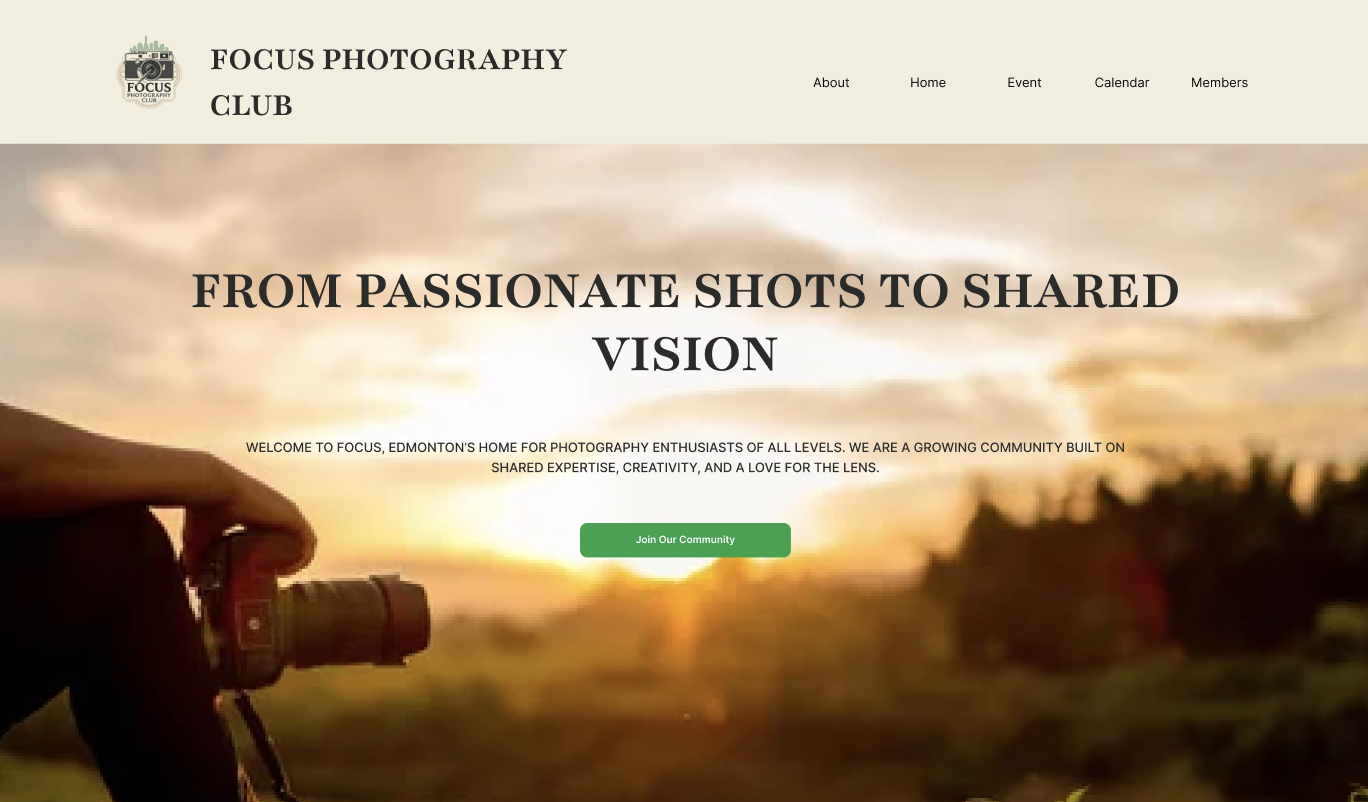
Designing a visual experience for a photography community.
Focus Photography Club is a responsive website concept designed for a photography community.
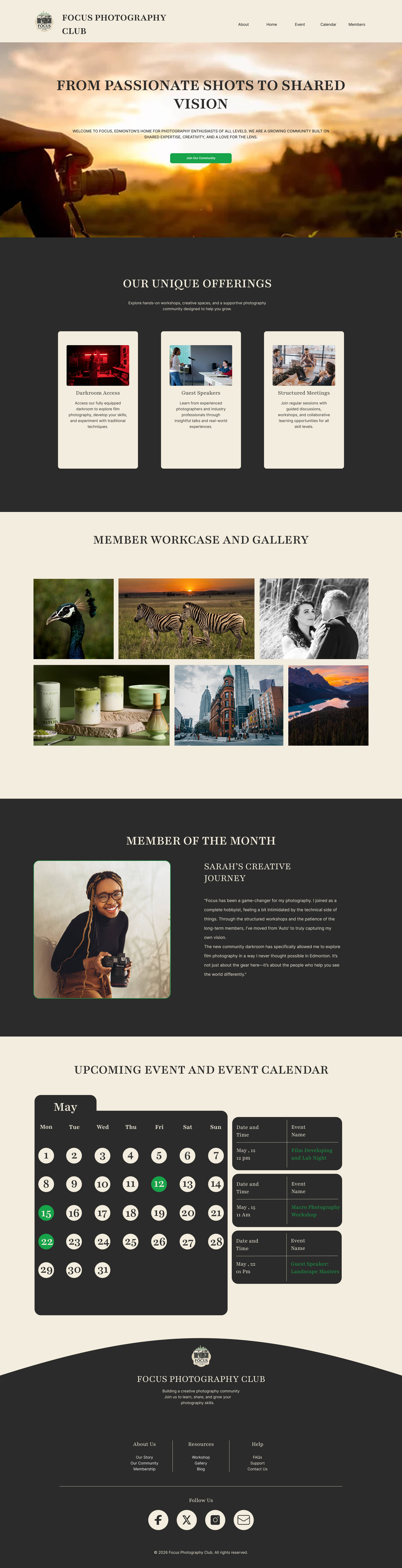
The design focuses on presenting photography in a strong visual way while keeping information such as galleries, events and membership content easy to navigate.
Create a visual experience that feels simple, organized and engaging.
Visual storytelling
Give photography a strong visual presence throughout the website.
Simple navigation
Make galleries, events and community information easy to discover.
Responsive experience
Create layouts that adapt across desktop, tablet and mobile screens.
From planning to final interface.
Planning
Defined the content structure and main sections.
Wireframes
Planned the placement of content and interface elements.
Visual Design
Developed typography, colours and visual direction.
UI Components
Created reusable interface elements.
Responsive
Adapted the interface for different screen sizes.
Tools used to build the visual system.
Figma
UI design, wireframes, layouts, components and interface planning.
Canva
Image preparation, cropping and supporting visual assets.
Adobe Illustrator
Graphic and vector asset preparation and editing.
A visual system for consistency.
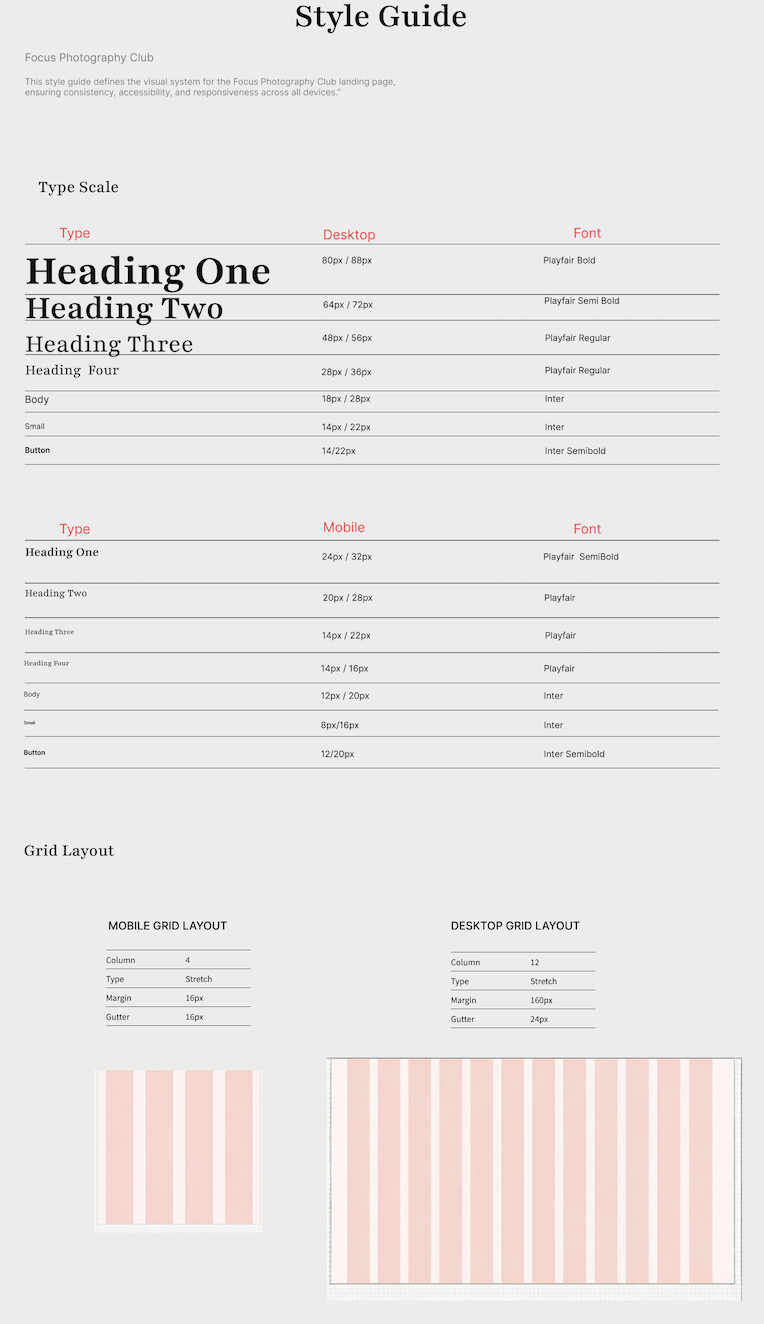
A visual style guide was created to keep typography, colours, spacing and interface elements consistent throughout the website.
Colour palette.
The colour system combines a warm, photography-inspired neutral base with dark sections and a green accent.
* Replace these HEX values with the exact colours from your original Figma style guide if they are different.
Creating a clear type hierarchy.
Supporting body copy used throughout the interface.
Grid and spacing.
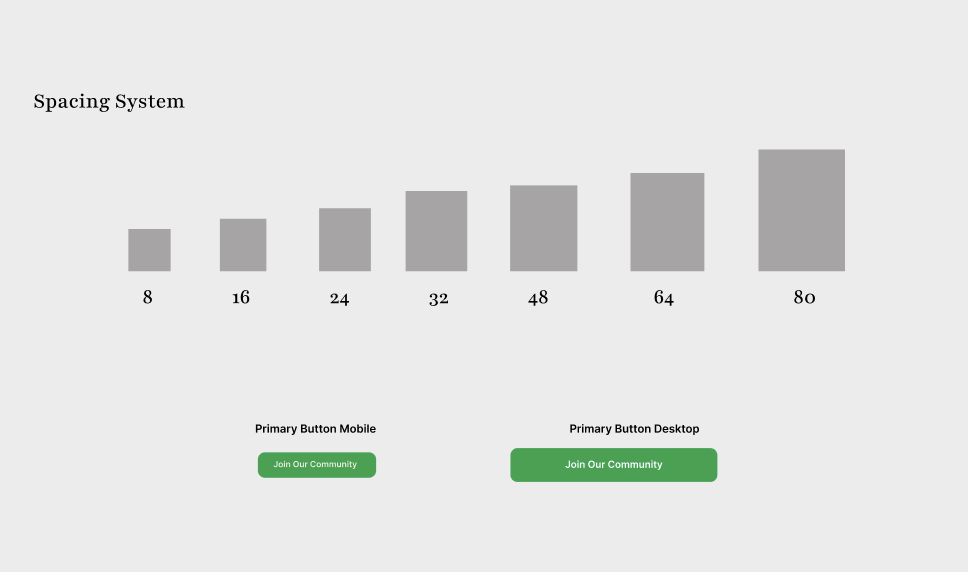
The grid and spacing system helped maintain consistent alignment and visual rhythm across the website.
Building a consistent interface.
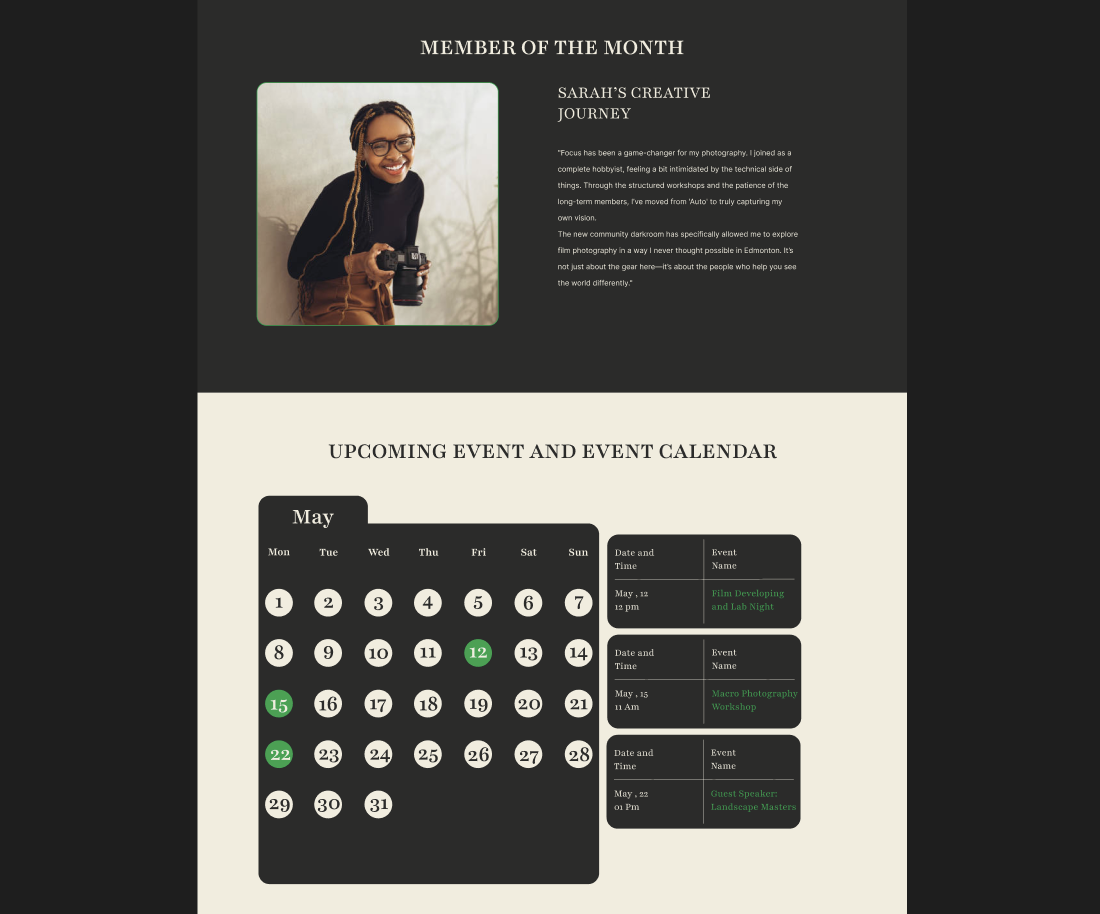
Photography Event
Explore upcoming photography events.
Photography Walk
Desktop experience.
Mobile experience.
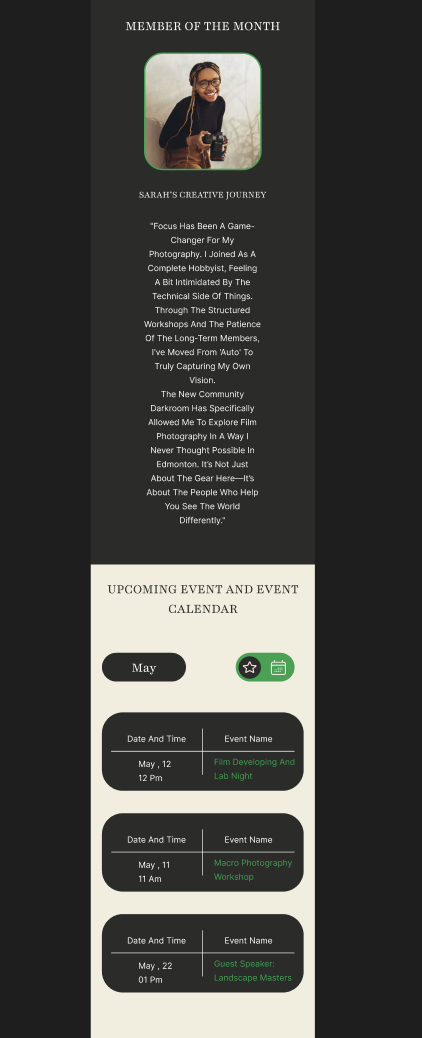
One visual system. Multiple screen sizes.
From style guide to responsive interface.
What I learned.
This project helped me understand how a visual design system can make a website more consistent and easier to build.
I gained more experience working with responsive layouts, reusable UI components, typography, spacing and image preparation.
Working in Figma also helped me organize the interface before moving toward the final design.